> For the complete documentation index, see [llms.txt](https://docs.tcmenu.cc/llms.txt). Markdown versions of documentation pages are available by appending `.md` to page URLs; this page is available as [Markdown](https://docs.tcmenu.cc/csgo-cai-dan-jiao-cheng/neverlose-jiao-cheng/neverlose-shi-yong-jiao-cheng.md).
# NeverLose使用教程
## NeverLose使用教程
#### 注册
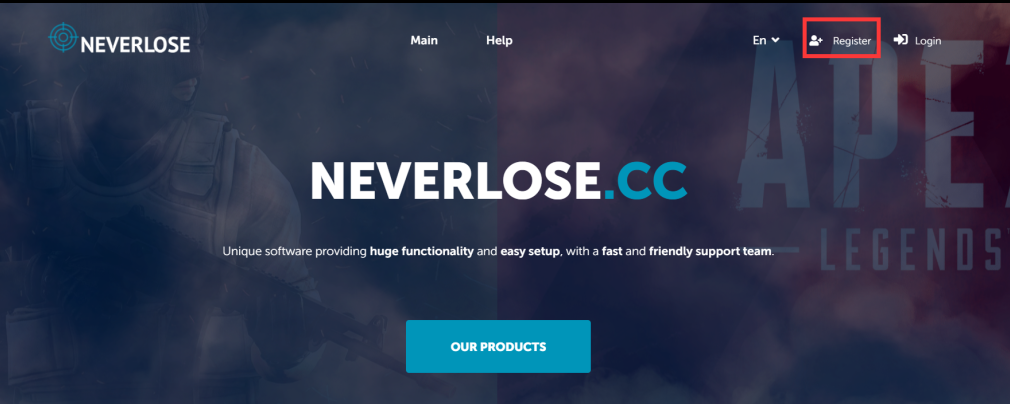
[**点击进入NL官网论坛**](https://neverlose.cc/)**点击右上角 `Register`**
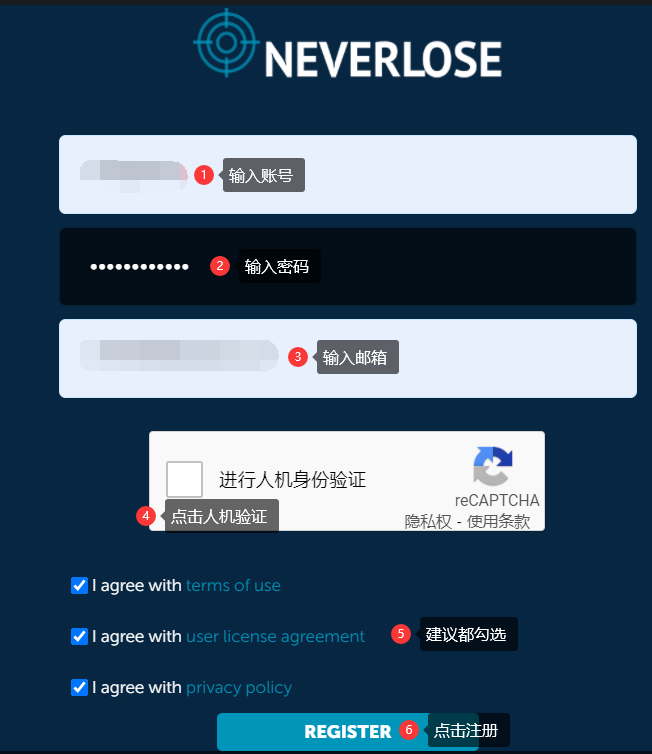
 {% hint style="danger" %} **注册的时候不能有中文跟特殊字符,不然会注册/注入不了**
{% endhint %}
{% hint style="danger" %} **注册的时候不能有中文跟特殊字符,不然会注册/注入不了**
{% endhint %}
 {% hint style="info" %}
**如果注册时下图的验证码无法显示**
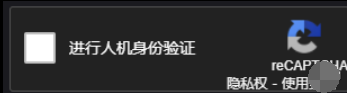
**使用科学上网或者查看以下方法**
**查看解决教程:**[**查看解决教程**](https://docs.tabshop.top/qi-ta-jiao-cheng/za-yi-jiao-cheng/guan-wang-wu-gu-ge-yan-zheng-jiao-cheng)
{% endhint %}
**检查你注册时是输入的邮箱**
{% hint style="info" %}
**如果注册时下图的验证码无法显示**

**使用科学上网或者查看以下方法**
**查看解决教程:**[**查看解决教程**](https://docs.tabshop.top/qi-ta-jiao-cheng/za-yi-jiao-cheng/guan-wang-wu-gu-ge-yan-zheng-jiao-cheng)
{% endhint %}
**检查你注册时是输入的邮箱**
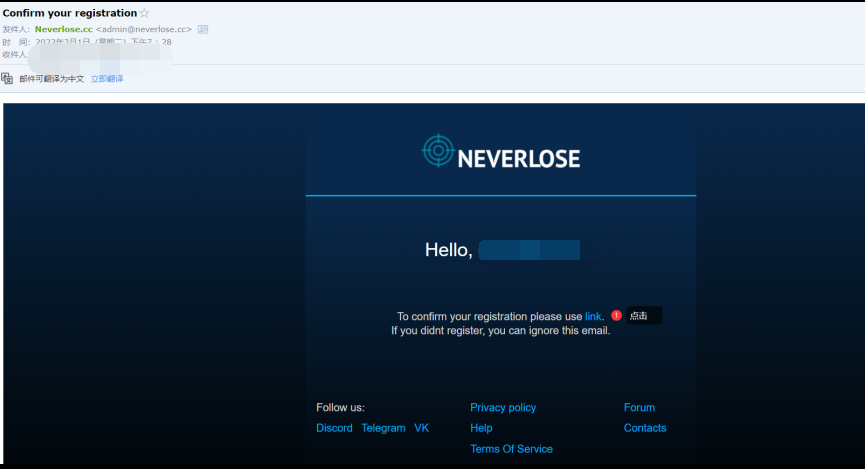 **点击**** ****`link`**
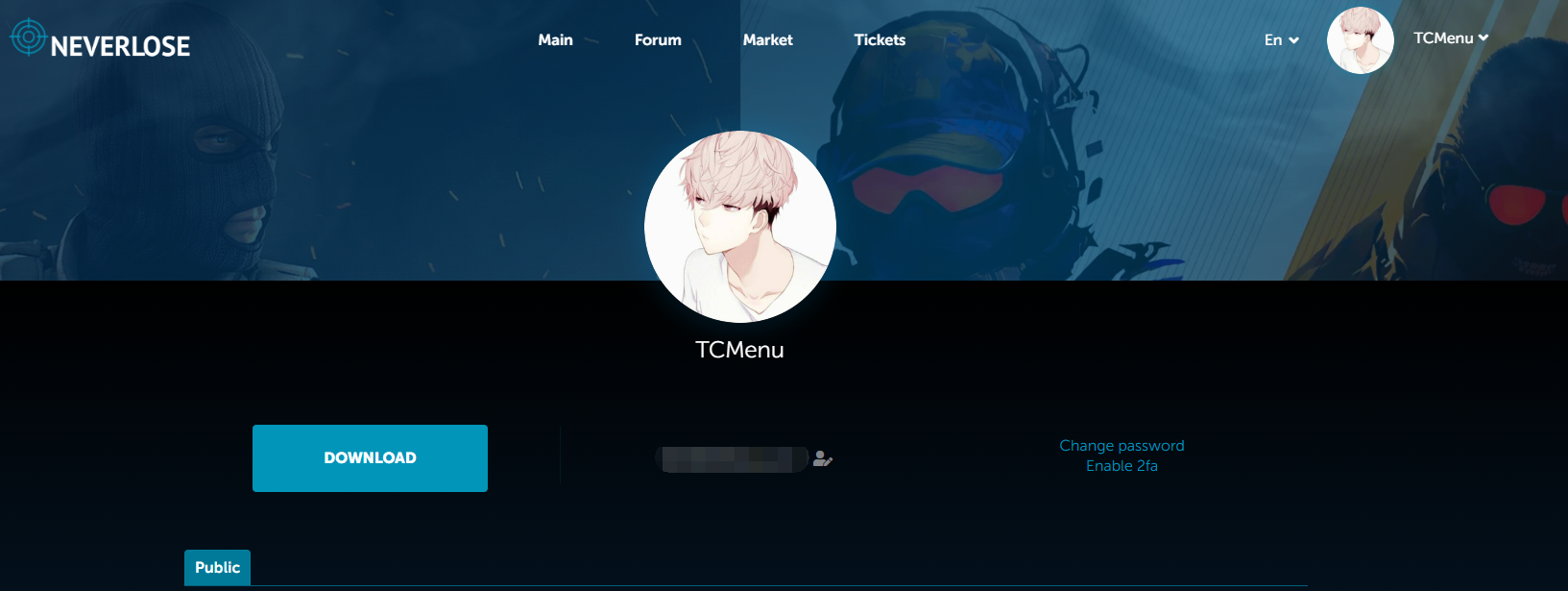 **它会跳转到此页面,代表注册成功。**
## 激活
{% hint style="info" %} **提供NL用户名/账号给我**
**建议到发卡网下单,输入正确的****`用户名`****即可自动到账完成续费.**
{% endhint %}
### 加速器
> **网络不好的务必自己使用科学上网 如果科学上网不起作用 请使用3A加速器 加速瓦洛兰特,之后他将会自动打开Steam和运行CSGO**
## 下载
**接上一步,激活成功后**
**官网首页点击 ****`DOWNLOAD`**** 下载注入器**
## **注入**
> **关闭Win10/Win11自带杀毒**
>
> **卸载杀毒软件(如:360 电脑管家 鲁大师等等)**
**NeverLose采用游戏外注入**
> **目前没有游戏内注入方法、且目前注入器有部分人无法注入和崩溃闪退问题。**
**下载后 ****`鼠标右键管理员运行`**** 注入器(个人Steam并未关闭,Steam是开启的,但是不要开启CSGO游戏 )**
**它会跳转到此页面,代表注册成功。**
## 激活
{% hint style="info" %} **提供NL用户名/账号给我**
**建议到发卡网下单,输入正确的****`用户名`****即可自动到账完成续费.**
{% endhint %}
### 加速器
> **网络不好的务必自己使用科学上网 如果科学上网不起作用 请使用3A加速器 加速瓦洛兰特,之后他将会自动打开Steam和运行CSGO**
## 下载
**接上一步,激活成功后**
**官网首页点击 ****`DOWNLOAD`**** 下载注入器**
## **注入**
> **关闭Win10/Win11自带杀毒**
>
> **卸载杀毒软件(如:360 电脑管家 鲁大师等等)**
**NeverLose采用游戏外注入**
> **目前没有游戏内注入方法、且目前注入器有部分人无法注入和崩溃闪退问题。**
**下载后 ****`鼠标右键管理员运行`**** 注入器(个人Steam并未关闭,Steam是开启的,但是不要开启CSGO游戏 )**
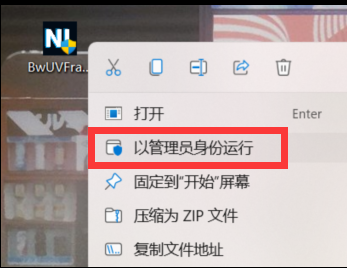 **注入器打开后、点击 ****`Star`**
**出现****`Preparing CS:GO`****后,等待Steam和CSGO关闭即可,它会自动帮你重启Steam和上CSGO**
{% hint style="info" %}
**正常情况下CSGO和Steam会关闭、关闭之后会重新启动一次Steam、帮你自动打开CSGO游戏客户端**
**说明注入流程没有错误。**
{% endhint %}
**进入CSGO客户端后,大厅等待界面呼出即可算注入成功**
## **使用**
**点击 `INS` 呼出/隐藏菜单**
**`鼠标点击` 操控菜单**
> **如果不出菜单界面请等待,如果长时间没报错也没出菜单,尝试裸连注入**
### **参数**
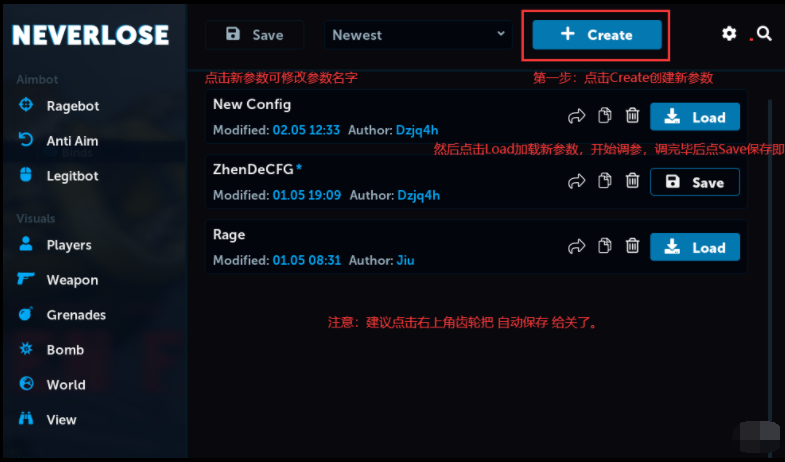
**参数读取 ( 目前参数分为两种方式 )**
> **①:自己新建,自己调参数后、保存。**\
> **②:让朋友 / 出参老师点击类似转发的按钮、这时候会复制参数邀请链接、让他发给你,你在网站内打开即可、然后切回来就会发现Confgis添加了一个参数。**
> **注意:邀请链接似乎每次只能使用一个人**
**注入器打开后、点击 ****`Star`**
**出现****`Preparing CS:GO`****后,等待Steam和CSGO关闭即可,它会自动帮你重启Steam和上CSGO**
{% hint style="info" %}
**正常情况下CSGO和Steam会关闭、关闭之后会重新启动一次Steam、帮你自动打开CSGO游戏客户端**
**说明注入流程没有错误。**
{% endhint %}
**进入CSGO客户端后,大厅等待界面呼出即可算注入成功**
## **使用**
**点击 `INS` 呼出/隐藏菜单**
**`鼠标点击` 操控菜单**
> **如果不出菜单界面请等待,如果长时间没报错也没出菜单,尝试裸连注入**
### **参数**
**参数读取 ( 目前参数分为两种方式 )**
> **①:自己新建,自己调参数后、保存。**\
> **②:让朋友 / 出参老师点击类似转发的按钮、这时候会复制参数邀请链接、让他发给你,你在网站内打开即可、然后切回来就会发现Confgis添加了一个参数。**
> **注意:邀请链接似乎每次只能使用一个人**
 **脚本创建或读取:**[**点击查看NEVERLOSE API**](https://docs.neverlose.cc/)\
**①:自己拥有Lua源代码或者想自己写的**
**②:从官网订阅脚本或者让朋友给您脚本分享链接。**\
[**点击进入官网订阅脚本地址( 内含收费和免费内容 )**]()\
**朋友分享链接:同样在脚本页面点类似转发的按钮复制链接后发给您。( 跟参数一样 )**\
**③:读取脚本、在脚本页面点击Load后、点击类似齿轮按钮进入脚本功能页面设置即可。**
**脚本创建或读取:**[**点击查看NEVERLOSE API**](https://docs.neverlose.cc/)\
**①:自己拥有Lua源代码或者想自己写的**
**②:从官网订阅脚本或者让朋友给您脚本分享链接。**\
[**点击进入官网订阅脚本地址( 内含收费和免费内容 )**]()\
**朋友分享链接:同样在脚本页面点类似转发的按钮复制链接后发给您。( 跟参数一样 )**\
**③:读取脚本、在脚本页面点击Load后、点击类似齿轮按钮进入脚本功能页面设置即可。**