# Umbrella使用教程

## 准备工作

{% hint style="danger" %}
在开始之前，您需要确保一切准备就绪

* 安装最新版本的Microsoft Visual C++(2005,2008,2010,2012,2015,2017,2019,2022)和DirectX
* 您还需要禁用防病毒软件和Windows Defender
* 使用软件卸载删除Faceit反作弊、ESEA反作弊、拳头反作弊（瓦罗兰特反作弊）;
* 确保游戏设置的是 DirectX11 而不是 Vulkan，确保您的 CPU 支持 AVX2。
  {% endhint %}

## 注册

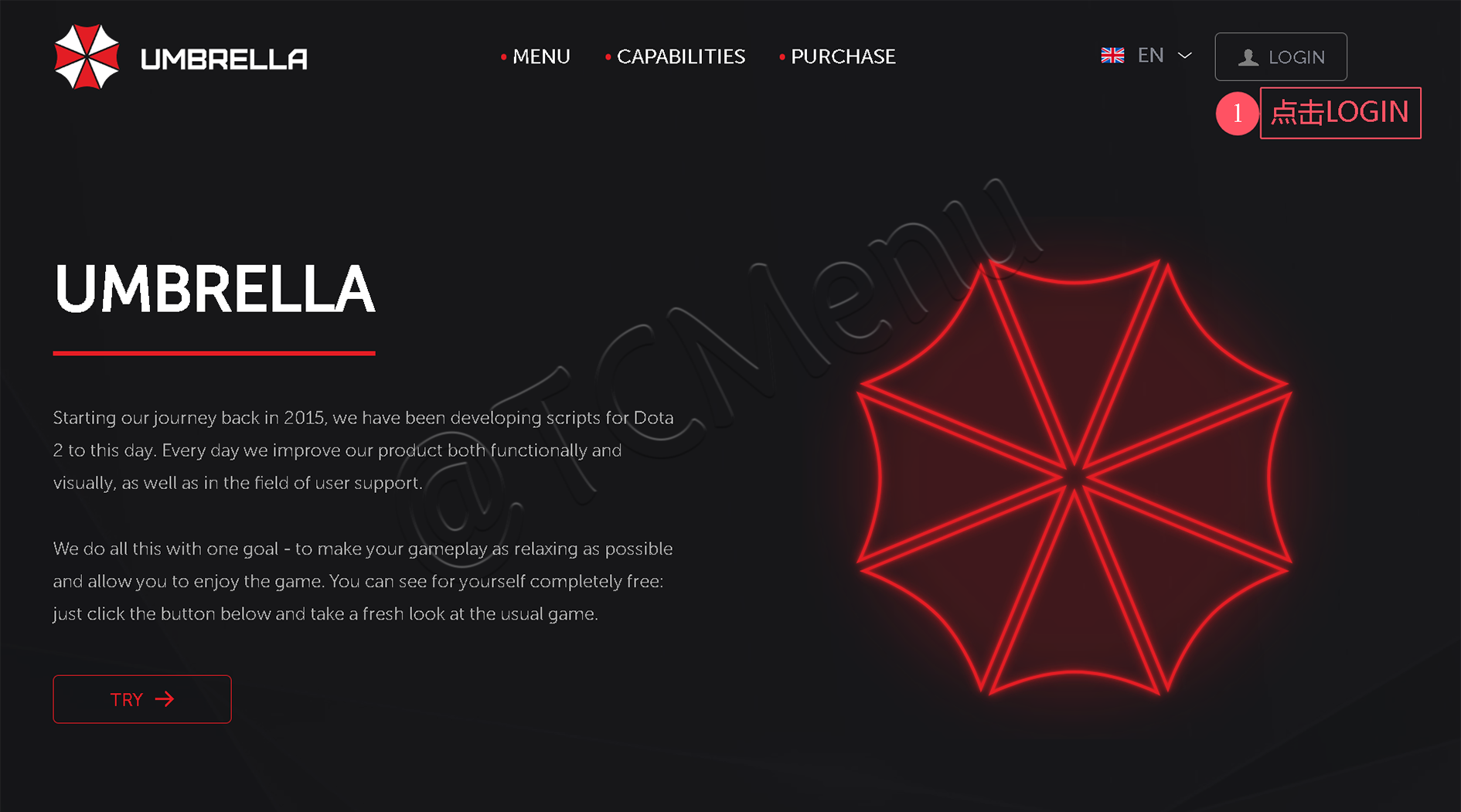
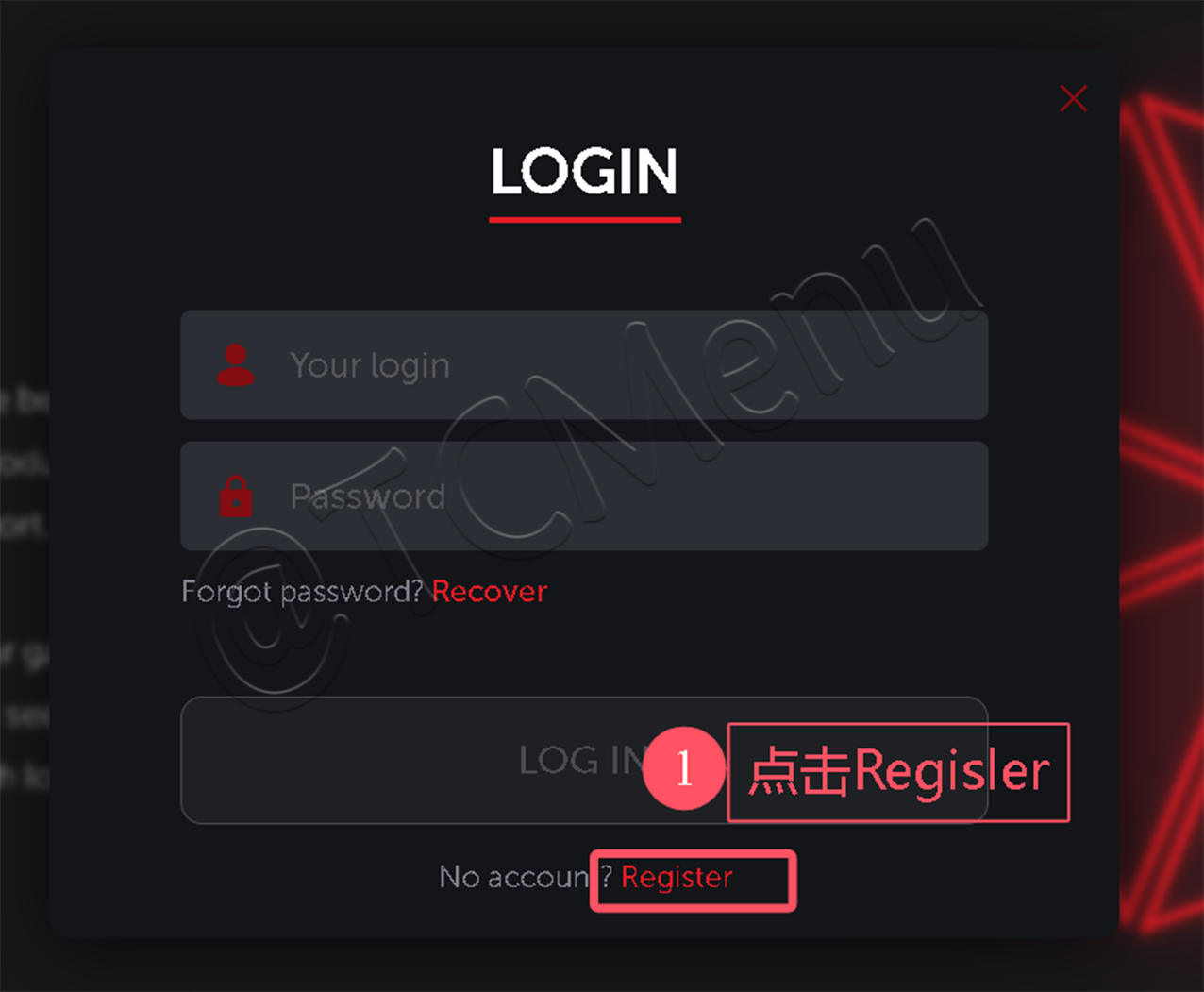
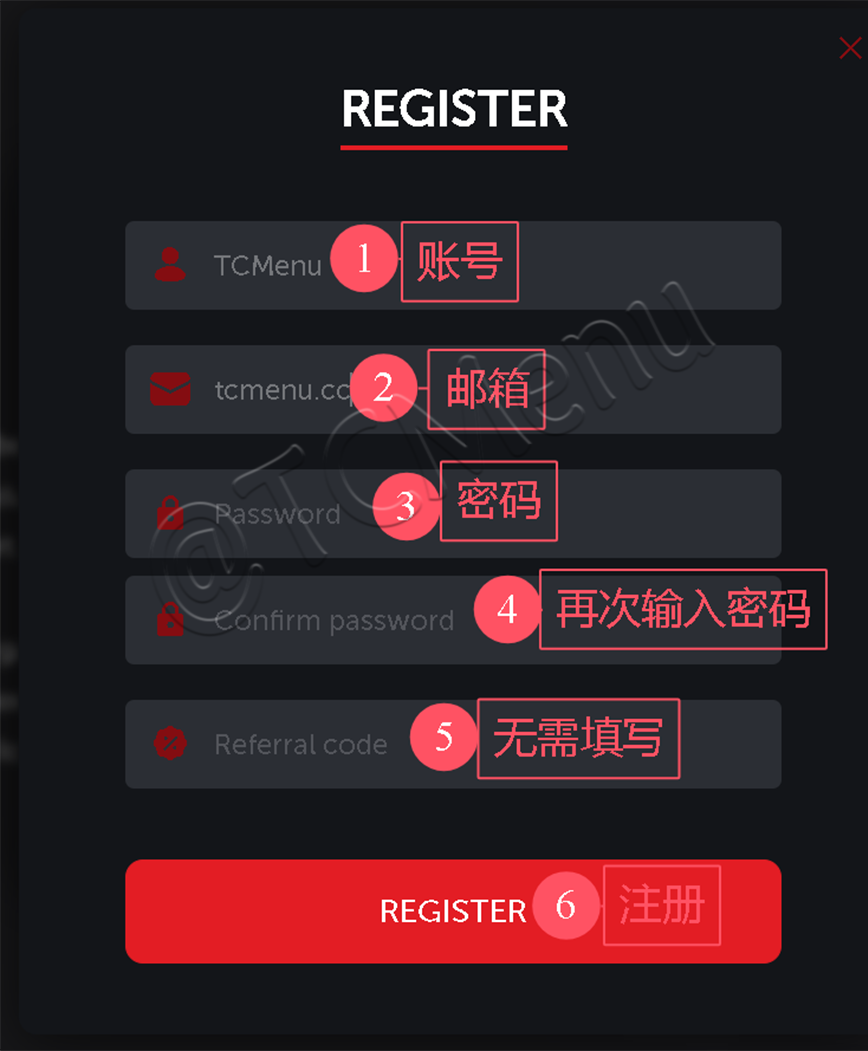
**点击进入下面的**<mark style="color:red;">**`网址`**</mark>**进入官方进行**<mark style="color:red;">**`注册账户`**</mark>

{% embed url="<https://uc.zone/?referrer=TCMenu>" %}

<figure><img src="/files/xM5bJxa10pr0AuSovq6J" alt=""><figcaption></figcaption></figure>

<figure><img src="/files/MsLVGMQ4FQVzZlNn2Tyo" alt=""><figcaption></figcaption></figure>

<figure><img src="/files/KgZoQC9NXV6iihZcSZev" alt=""><figcaption></figcaption></figure>

{% hint style="danger" %} <mark style="color:red;">**如果你点击注册没有反应，请使用魔法上网！**</mark>
{% endhint %}

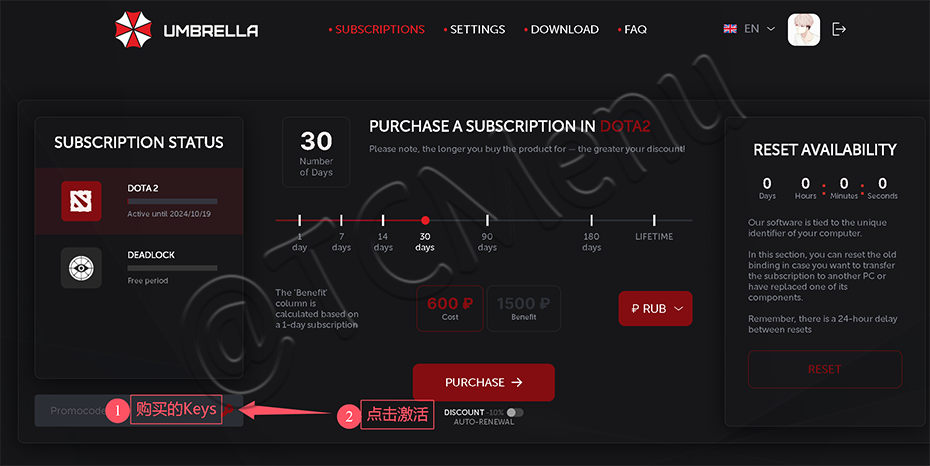
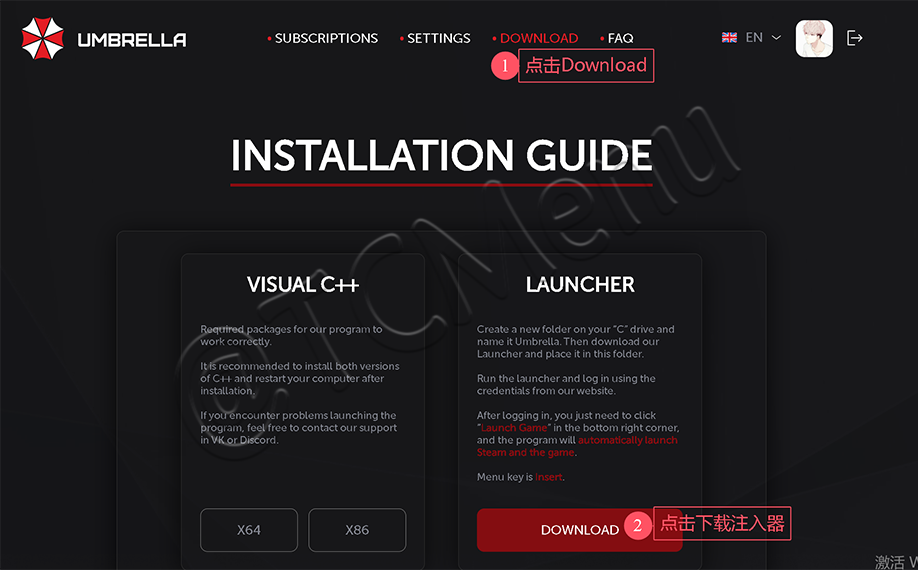
## 激活下载

<figure><img src="/files/brwUUKCf1QpPGoFS862u" alt=""><figcaption></figcaption></figure>

<figure><img src="/files/U3brJYEPrb1Oz7F2mPOO" alt=""><figcaption></figcaption></figure>

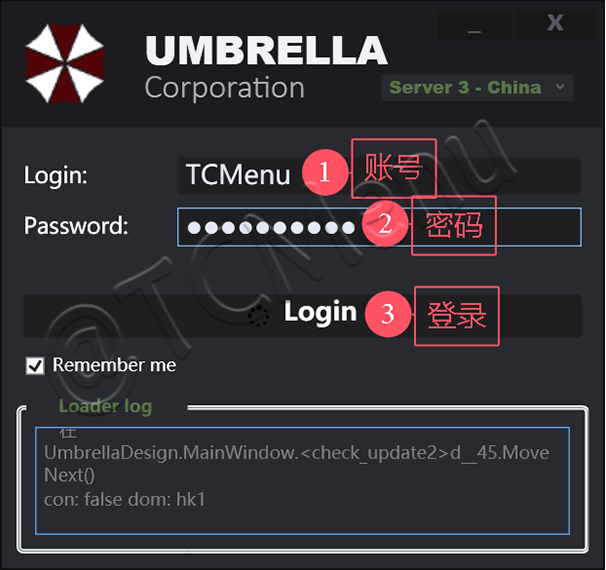
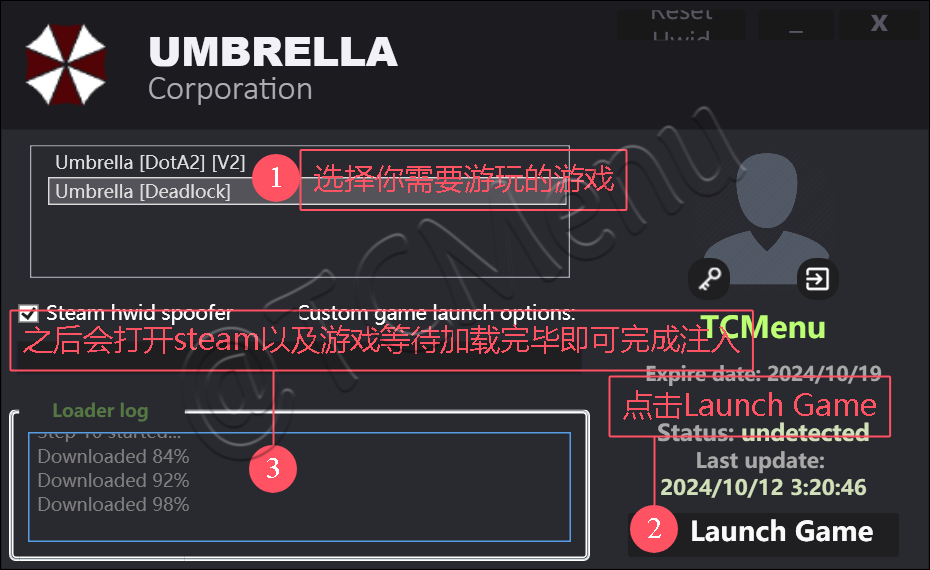
## 注入

<figure><img src="/files/Oj2CPNdO0iHbdWZ1ryqj" alt=""><figcaption></figcaption></figure>

<figure><img src="/files/4600SeveaecKblRjJyWA" alt=""><figcaption></figcaption></figure>

<figure><img src="/files/1vsZ4az6y27Yhjq0GRUu" alt=""><figcaption></figcaption></figure>

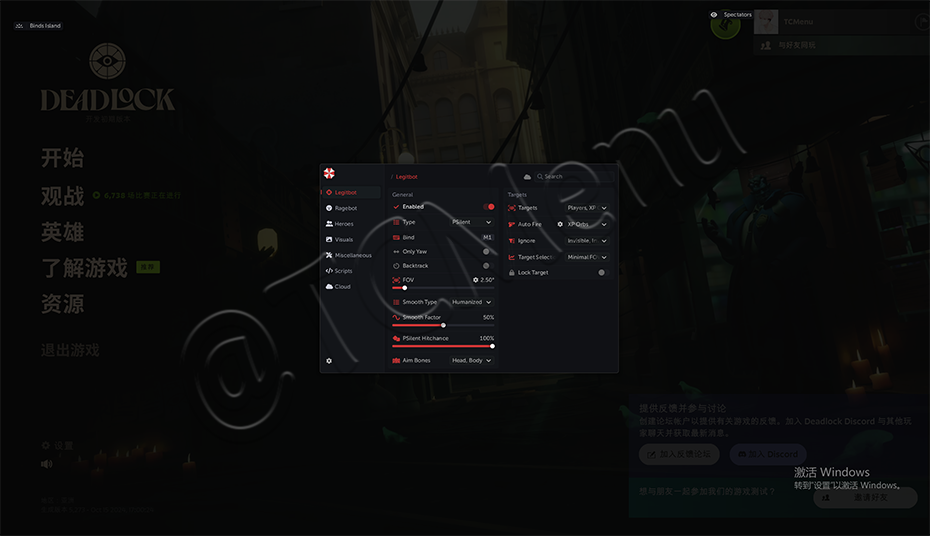
## **使用**

**点击 INS`/FN+INS` 呼出/隐藏菜单**

> **如果你是笔记本或`68键`等没有`INS按键`的键盘调出菜单,如果你没法使用INS按键,那么`屏幕虚拟键盘`即可**


---

# Agent Instructions: Querying This Documentation

If you need additional information that is not directly available in this page, you can query the documentation dynamically by asking a question.

Perform an HTTP GET request on the current page URL with the `ask` query parameter:

```
GET https://docs.tcmenu.cc/deadlock/umbrella-jiao-cheng/umbrella-shi-yong-jiao-cheng.md?ask=<question>
```

The question should be specific, self-contained, and written in natural language.
The response will contain a direct answer to the question and relevant excerpts and sources from the documentation.

Use this mechanism when the answer is not explicitly present in the current page, you need clarification or additional context, or you want to retrieve related documentation sections.