> For the complete documentation index, see [llms.txt](https://docs.tcmenu.cc/llms.txt). Markdown versions of documentation pages are available by appending `.md` to page URLs; this page is available as [Markdown](https://docs.tcmenu.cc/gta5-cai-dan-jiao-cheng/oxcheats-ox-jiao-cheng/ox-shi-yong-jiao-cheng.md).

# Ox使用教程

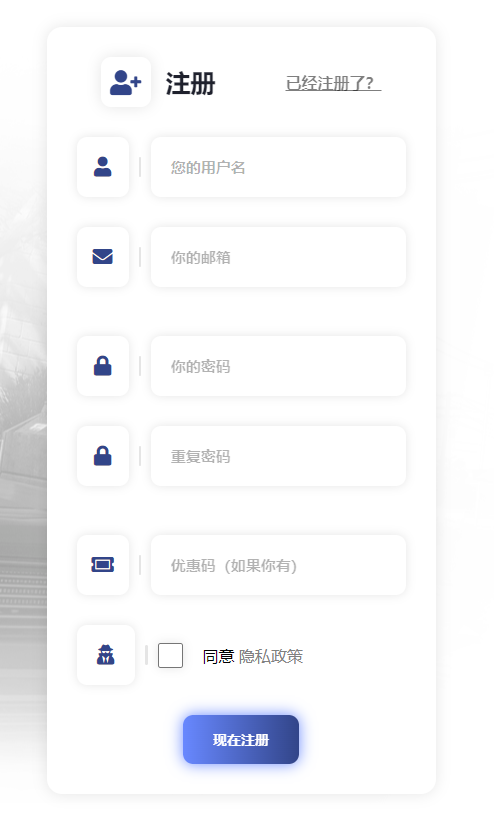
#### **第一步：注册账号** <a href="#di-yi-bu-zhu-ce-zhang-hao" id="di-yi-bu-zhu-ce-zhang-hao"></a>

**进入OX官网：**

[**点我进入**](https://0xcheats.net/register/)
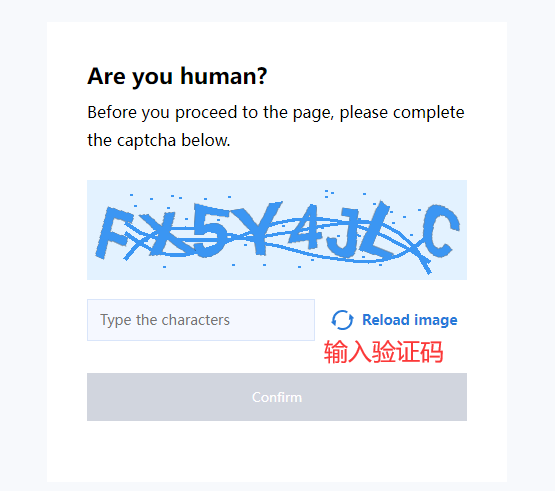
​

<img src="https://2492540120-files.gitbook.io/~/files/v0/b/gitbook-x-prod.appspot.com/o/spaces%2FvGFcRTH677QmdeZg8dMA%2Fuploads%2FG31q52HjoRZLn0B3UrL2%2F1.png?alt=media&#x26;token=063c2a82-e56c-4923-94f4-26aed19ffb1d" alt="" width="100%">

**注册的时候不能有中文跟特殊字符，不然会注册/注入不了**

<img src="https://2492540120-files.gitbook.io/~/files/v0/b/gitbook-x-prod.appspot.com/o/spaces%2FvGFcRTH677QmdeZg8dMA%2Fuploads%2F6O5tnQ7GpahTY641Us2U%2F2.png?alt=media&#x26;token=bd1ac07e-e36b-496a-a3c7-0273550fd0d0" alt="" width="100%">

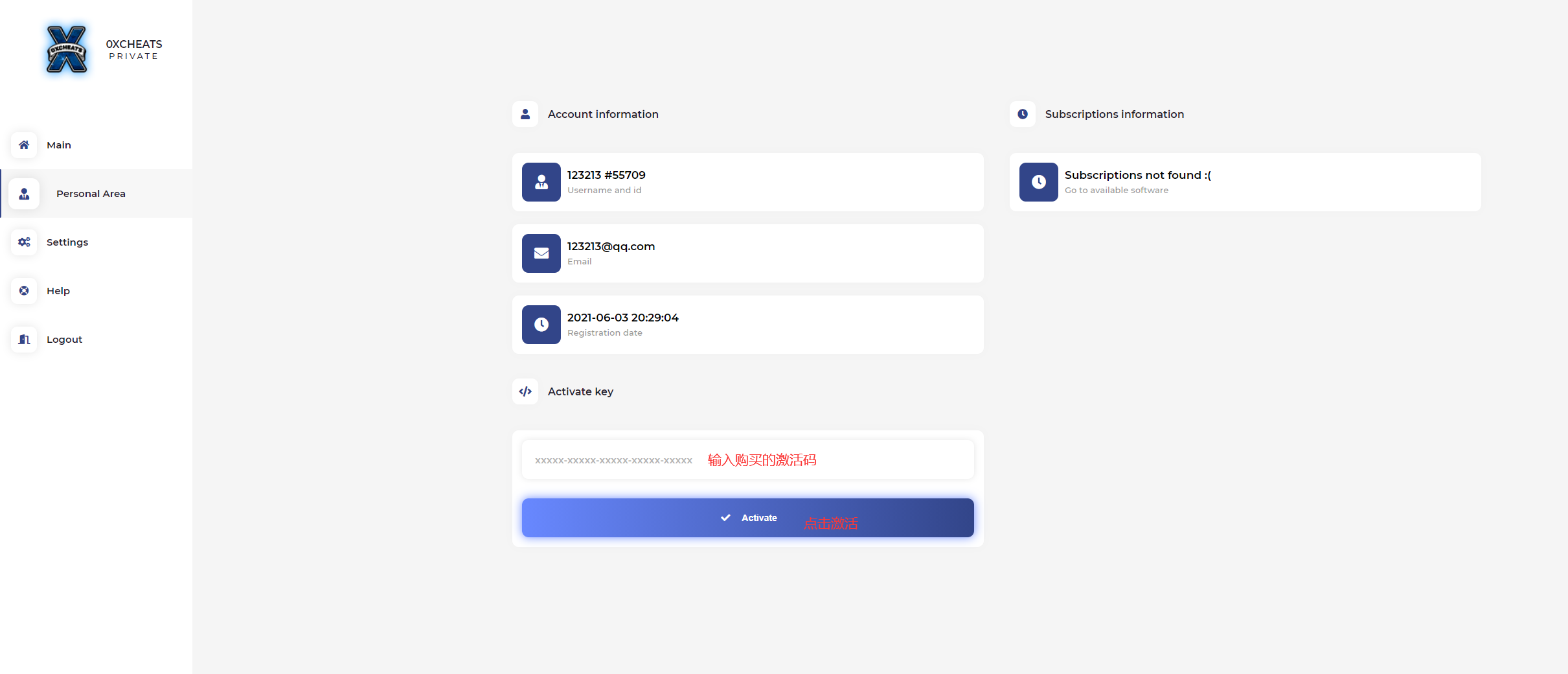
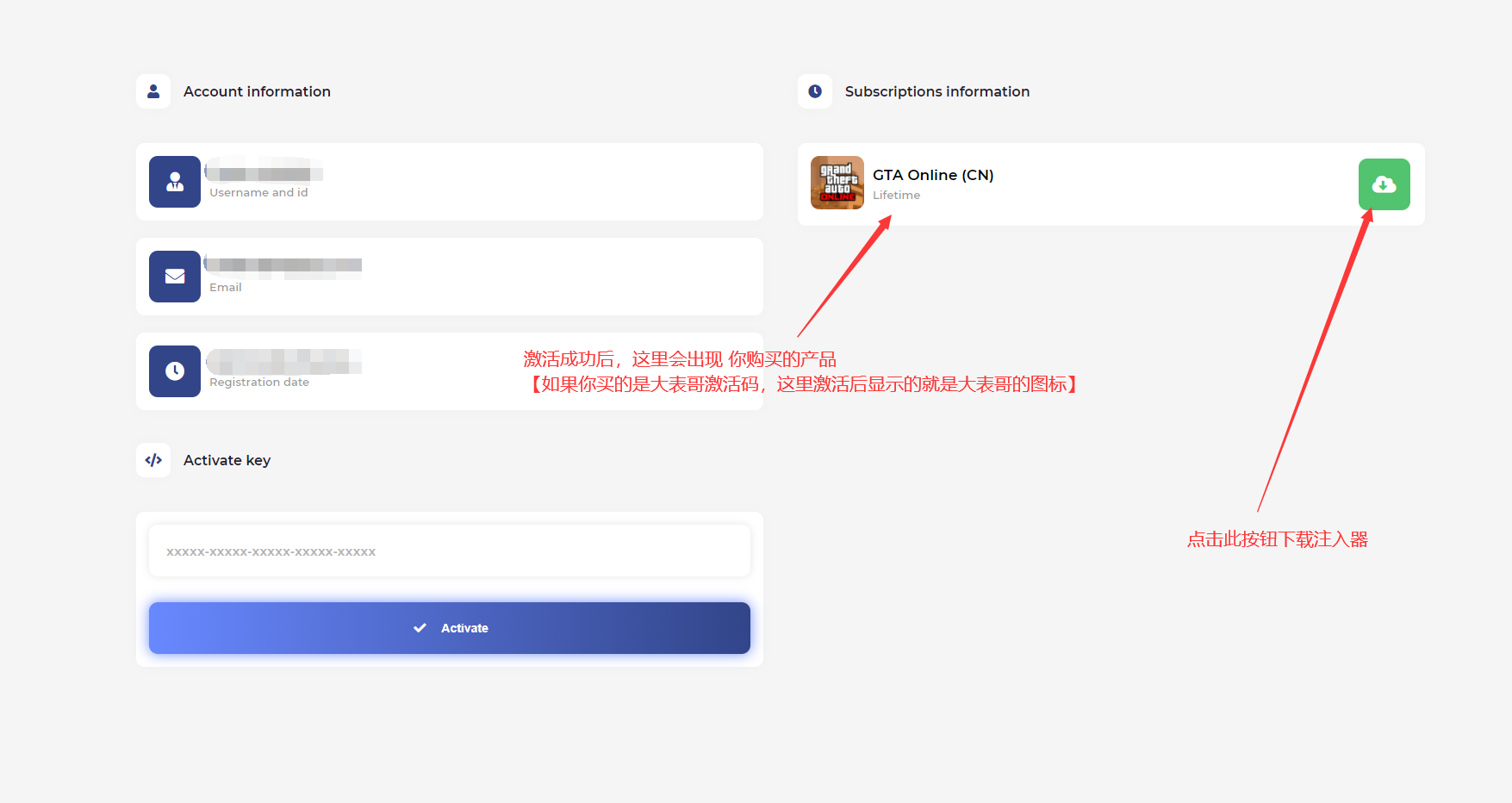
**激活**

<img src="https://2492540120-files.gitbook.io/~/files/v0/b/gitbook-x-prod.appspot.com/o/spaces%2FvGFcRTH677QmdeZg8dMA%2Fuploads%2FofUBY4FwHkj2jWxPpJGI%2F3.png?alt=media&#x26;token=04adaa5f-a28e-4936-9df6-5acd2409e040" alt="" width="100%">

<img src="https://2492540120-files.gitbook.io/~/files/v0/b/gitbook-x-prod.appspot.com/o/spaces%2FvGFcRTH677QmdeZg8dMA%2Fuploads%2FeK2xHPUzAUhP3lkUUMrZ%2F4.png?alt=media&#x26;token=775610e6-912f-4029-a6bd-9c9de6b8aa7b" alt="" width="100%">

<img src="https://2492540120-files.gitbook.io/~/files/v0/b/gitbook-x-prod.appspot.com/o/spaces%2FvGFcRTH677QmdeZg8dMA%2Fuploads%2FSOk8RfxccclK2DTuNEnq%2F5.png?alt=media&#x26;token=c7931340-02d4-4fb3-9336-fd46535003be" alt="" width="100%">

​

### **安装** <a href="#an-zhuang" id="an-zhuang"></a>

**0x必须是激活后才可以下载注入器，必须是用自己激活的账号下载属于自己的注入器**

**别人给你传的你用不了**

**如果下载不了/下载慢,建议使用科学上网后,再重新下载**

下载的是压缩包，必须解压当前压缩包才可以使用

### 注入 <a href="#zhu-ru" id="zhu-ru"></a>

### 在打开游戏前，注入ox <a href="#zai-da-kai-you-xi-qian-zhu-ru-ox" id="zai-da-kai-you-xi-qian-zhu-ru-ox"></a>

<img src="https://2492540120-files.gitbook.io/~/files/v0/b/gitbook-x-prod.appspot.com/o/spaces%2FvGFcRTH677QmdeZg8dMA%2Fuploads%2Fr9yDmponXd1kcDDpXCXf%2F1.png?alt=media&#x26;token=b1ee1458-97b5-4919-86b6-1d2db3fb9fab" alt="" width="100%">

<img src="https://2492540120-files.gitbook.io/~/files/v0/b/gitbook-x-prod.appspot.com/o/spaces%2FvGFcRTH677QmdeZg8dMA%2Fuploads%2FuNt0YiEFCwUFkHzFLY7m%2F12.png?alt=media&#x26;token=42e0d08f-475b-4d5d-b4b9-f23a1b5964b8" alt="" width="100%">

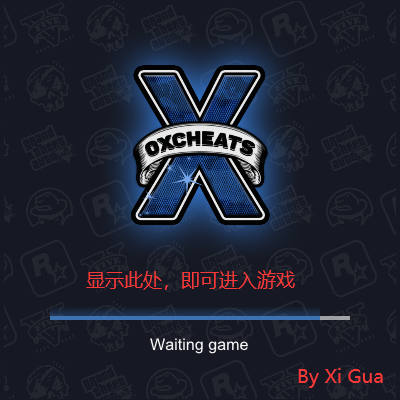
**等待进度条走完，上面的注入器会关闭，属于正常现象**

**注入失败**

🛤菜单注入闪退和自崩问题

成功忽视我

### 使用 <a href="#shi-yong" id="shi-yong"></a>

**点击 `INS` 呼出/隐藏菜单**

**`鼠标点击` 操控菜单**


---

# Agent Instructions
This documentation is published with GitBook. GitBook is the documentation platform designed so that both humans and AI agents can read, navigate, and reason over technical content effectively. Learn more at gitbook.com.

## Querying This Documentation
If you need additional information that is not directly available in this page, you can query the documentation dynamically by asking a question.

Perform an HTTP GET request on the current page URL with the `ask` query parameter, and the optional `goal` query parameter:

```
GET https://docs.tcmenu.cc/gta5-cai-dan-jiao-cheng/oxcheats-ox-jiao-cheng/ox-shi-yong-jiao-cheng.md?ask=<question>&goal=<endgoal>
```

`ask` is the immediate question: it should be specific, self-contained, and written in natural language.
`goal` is optional and describes the broader end goal you are ultimately trying to accomplish on behalf of the user. GitBook uses it to tailor the answer towards what is most useful for that goal.

The response will contain a direct answer to the question and relevant excerpts and sources from the documentation.

Use this mechanism when the answer is not explicitly present in the current page, you need clarification or additional context, or you want to retrieve related documentation sections.