> For the complete documentation index, see [llms.txt](https://docs.tcmenu.cc/llms.txt). Markdown versions of documentation pages are available by appending `.md` to page URLs; this page is available as [Markdown](https://docs.tcmenu.cc/ji-qi-ma-spoofer/phoenix-spoofer-jiao-cheng/phoenix-spoofer-shi-yong-jiao-cheng.md).
# Phoenix Spoofer使用教程
## 使用前置
{% hint style="danger" %}
关闭Windows自带的防火墙
给软件程序赋予管理员权限打开
确保你的电脑没有FaceIT Anti-Cheat, Riot Vanguard, or ESEA 这三个反作弊系统
{% endhint %}
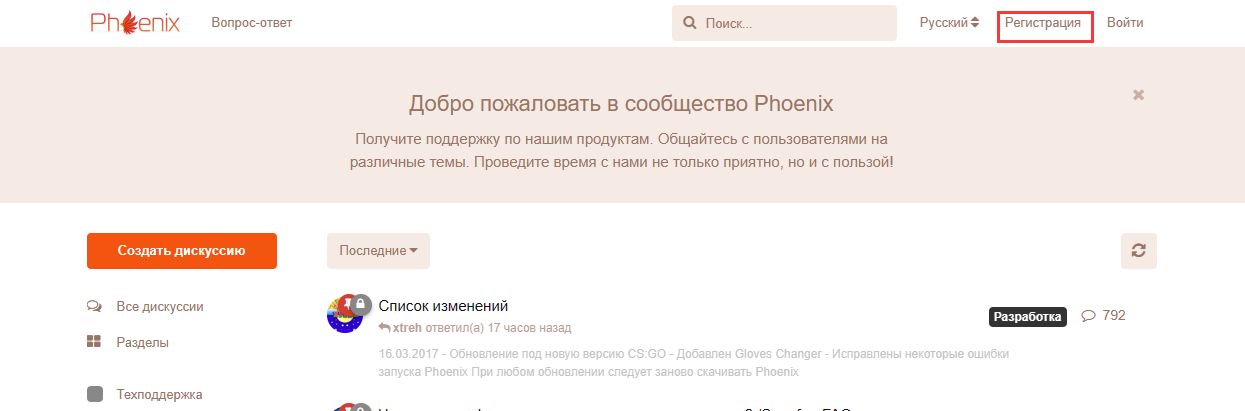
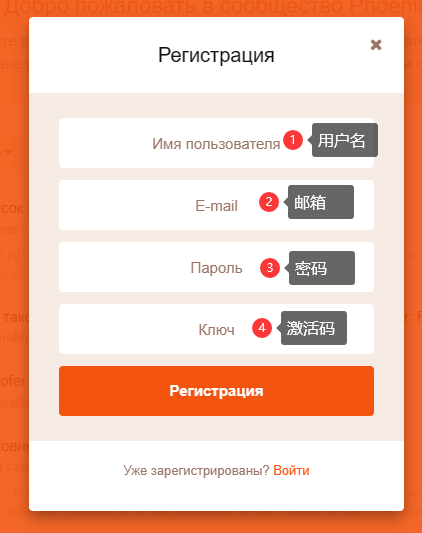
## 登录Phoenix Spoofer官方注册账号
{% embed url="" %}
用户名必须纯英文 大写+小写
用户名必须纯英文 大写+小写
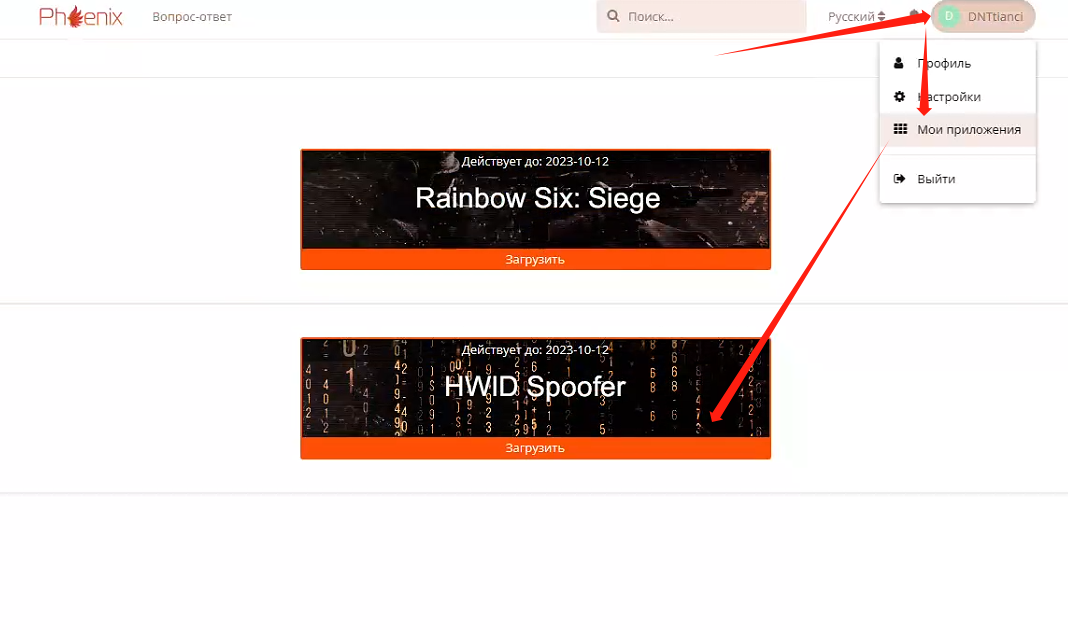
## 解机器码
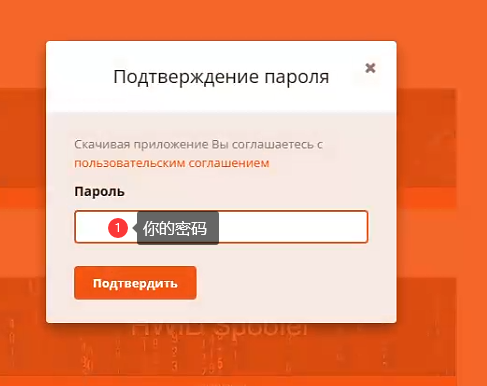
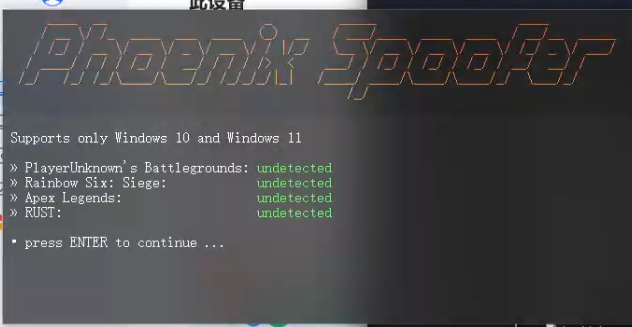
打开后按确认键
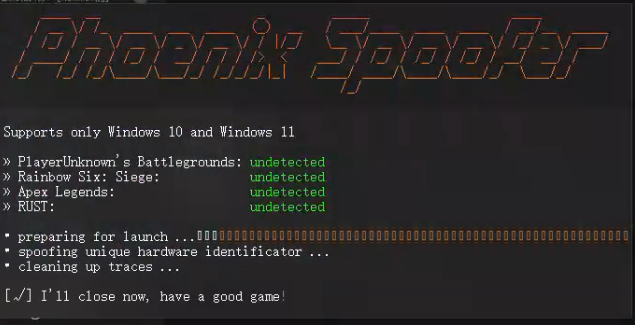
出现这个后表示你已经解码成功,可以正常的进行游戏了
{% hint style="danger" %}
* 当你电脑重启后机器码将会恢复你的原始机器码,此欺骗程序不提供永久性欺骗;您的硬件数据仅在下次 PC 重新启动之前被欺骗。因此,您需要在每次玩之前运行机器码欺骗。
{% endhint %}