# Fecurity使用教程

{% hint style="danger" %} <mark style="color:red;">**CPU处理要求：INTEL英特尔处理器**</mark>

<mark style="color:red;">**支持所有INTEL英特尔厂牌并且有支持虚拟化的处理器Virtualization CPU虚拟化（VT-x）**</mark>

<mark style="color:blue;">**AMD处理器**</mark>

<mark style="color:blue;">**目前已经支持大部分AMD并且支持虚拟化的处理器Virtualization CPU 虚拟化（SVM）**</mark>
{% endhint %}

{% hint style="info" %} <mark style="color:red;">**注入前工作**</mark>

<mark style="color:red;">**电脑设置:**</mark>

<mark style="color:red;">**卸载电脑里的所有**</mark><mark style="color:red;">**`杀毒`**</mark><mark style="color:red;">**软件(**</mark>~~<mark style="color:red;">**电脑管家 360 鲁大师**</mark>~~<mark style="color:red;">**&#x20;**</mark><mark style="color:red;">**等等)**</mark>

<mark style="color:red;">**关闭电脑里的**</mark><mark style="color:red;">**`自带杀毒`**</mark>

<mark style="color:red;">**卸载**</mark><mark style="color:red;">**&#x20;**</mark><mark style="color:red;">**`Faceit Anti-Cheat`**</mark><mark style="color:red;">**&#x20;**</mark><mark style="color:red;">**和**</mark><mark style="color:red;">**&#x20;**</mark><mark style="color:red;">**`Riot Vanguard(Valorant Anti-Cheat)`**</mark>

<mark style="color:red;">**如玩过**</mark><mark style="color:red;">**`Battleye`**</mark><mark style="color:red;">**反作弊游戏的请先重启电脑在用**</mark>

<mark style="color:red;">**游戏设置：**</mark>

<mark style="color:red;">**`调成全屏窗口模式`**</mark>

<mark style="color:red;">**关闭BOIS模式的安全启动**</mark>
{% endhint %}

## 下载

{% embed url="<https://mega.nz/folder/uYpVFCTL#jMqsjwSLZ4kBrkQvILvNNQ>" %}
如果无法打开下载链接请挂梯子
{% endembed %}

## 注入

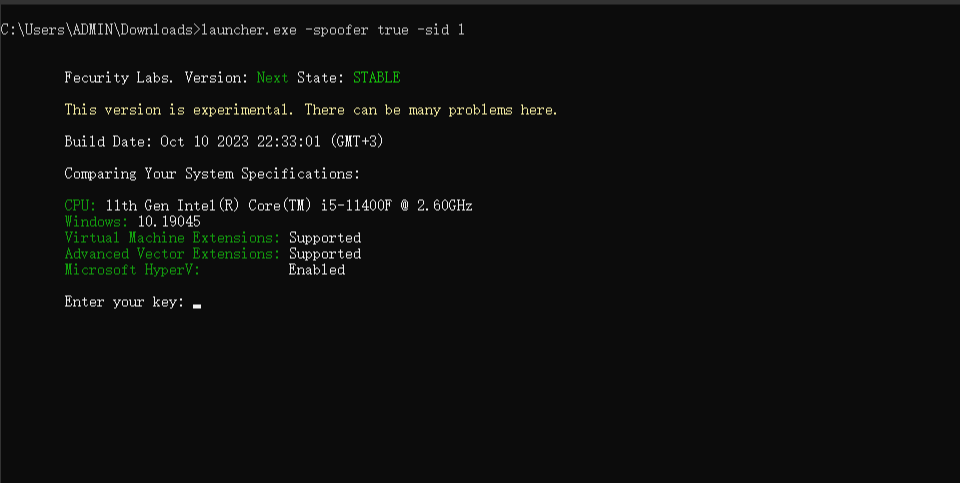
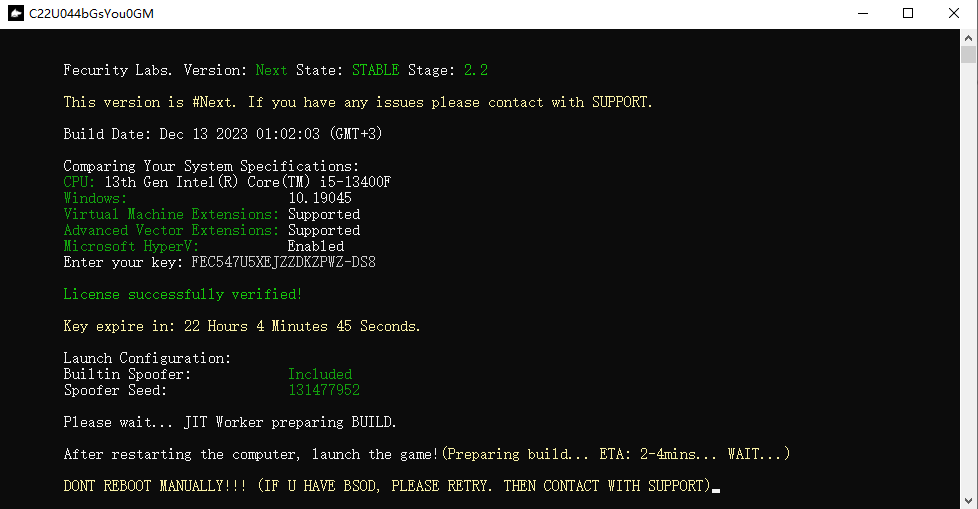
**下载注入器后 `鼠标右键管理员运行`**<mark style="color:red;">LAUNCHER.exe</mark> **输入你的卡密进去之后按回车**

**等待加载，`加载完毕后`会有**<mark style="color:blue;">**`窗口`**</mark>**提示你&#x20;**<mark style="color:blue;">**重启电脑**</mark>

<figure><img src="https://content.gitbook.com/content/FDive0muGSxachpRYk3V/blobs/XQABkUeK6tmCfd4sPmWs/image.png" alt=""><figcaption></figcaption></figure>

<figure><img src="https://content.gitbook.com/content/FDive0muGSxachpRYk3V/blobs/0FWtnTfzn3BR94exvRDt/I@T6RVJ_%607I94R7ZI2[20N7.png" alt=""><figcaption></figcaption></figure>

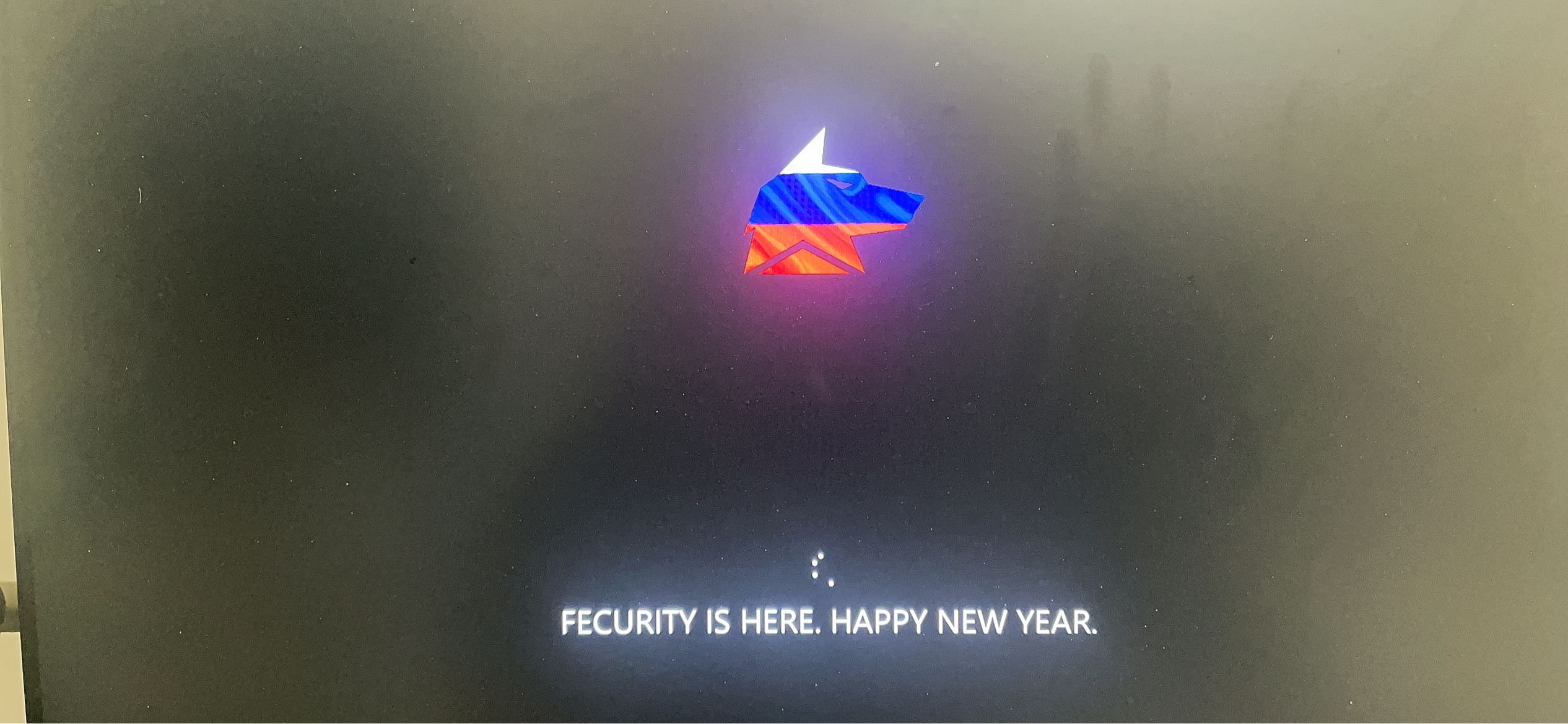
**重启电脑之后显示此界面，等待重启进入桌面之后直接进入游戏即可**

<figure><img src="https://content.gitbook.com/content/FDive0muGSxachpRYk3V/blobs/X1HaSPKLAFQIKQ7Xw5Wu/4A7D8B4601DB21A3A6FEF385B3A384A4.png" alt=""><figcaption></figcaption></figure>

**如果你注入不是以上请看**

{% content-ref url="fecurity-yi-nan-za-zheng" %}
[fecurity-yi-nan-za-zheng](https://docs.tcmenu.cc/pubg/fecurity-jiao-cheng/fecurity-yi-nan-za-zheng)
{% endcontent-ref %}

## **使用**

**点击 `DEL/FN+DEL` 呼出/隐藏菜单**

> **如果你是笔记本或`68键`等没有`DEL按键`的键盘调出菜单,如果你没法使用DEL按键,那么`屏幕虚拟键盘`即可**

&#x20;**`鼠标点击` 操控菜单**

> **如果不出菜单界面请等待，如果长时间没报错也没出菜单，尝试裸连注入**


---

# Agent Instructions: Querying This Documentation

If you need additional information that is not directly available in this page, you can query the documentation dynamically by asking a question.

Perform an HTTP GET request on the current page URL with the `ask` query parameter:

```
GET https://docs.tcmenu.cc/pubg/fecurity-jiao-cheng/fecurity-shi-yong-jiao-cheng.md?ask=<question>
```

The question should be specific, self-contained, and written in natural language.
The response will contain a direct answer to the question and relevant excerpts and sources from the documentation.

Use this mechanism when the answer is not explicitly present in the current page, you need clarification or additional context, or you want to retrieve related documentation sections.