> For the complete documentation index, see [llms.txt](https://docs.tcmenu.cc/llms.txt). Markdown versions of documentation pages are available by appending `.md` to page URLs; this page is available as [Markdown](https://docs.tcmenu.cc/qi-ta-jiao-cheng/za-yi-jiao-cheng/discord-wu-xian-zhuan-quan-wu-fa-geng-xin-jie-jue-fang-an.md).

# Discord无限转圈/无法更新 解决方案

## 首先下载UsbEAm Hosts

{% embed url="<https://www.dogfight360.com/blog/475/>" %}

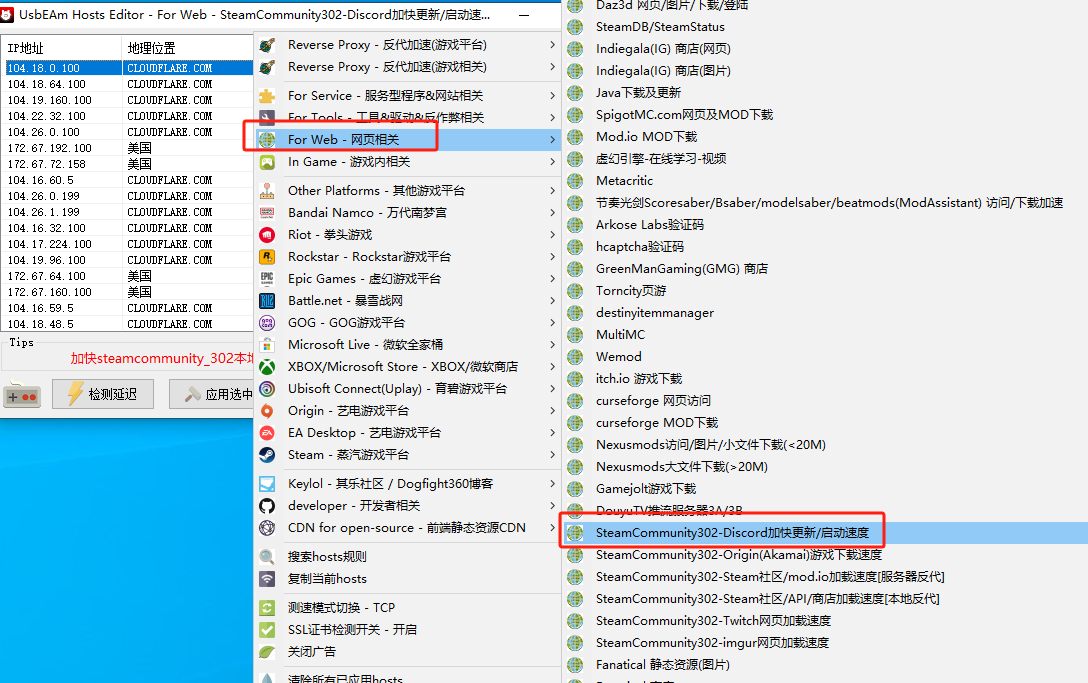
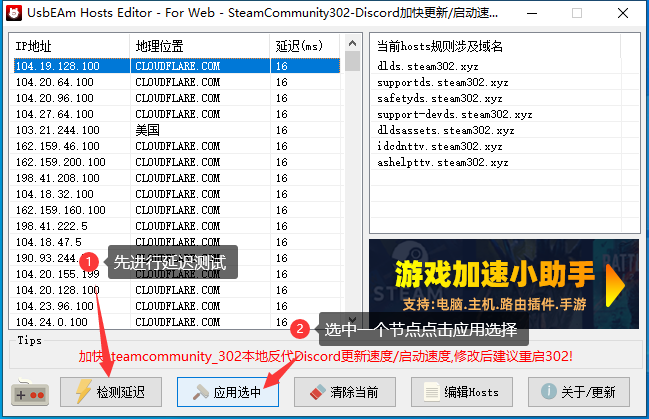
### 打开软件后右键选择如图加速设置

<figure><img src="https://content.gitbook.com/content/FDive0muGSxachpRYk3V/blobs/L8bx44waHmM3owhB8y6w/image.png" alt=""><figcaption></figcaption></figure>

<figure><img src="https://content.gitbook.com/content/FDive0muGSxachpRYk3V/blobs/I586jFOd1hRfRNFAiJZZ/image.png" alt=""><figcaption></figcaption></figure>

### 之后下载Steamcommunity 302

{% embed url="<https://www.dogfight360.com/blog/686/>" %}

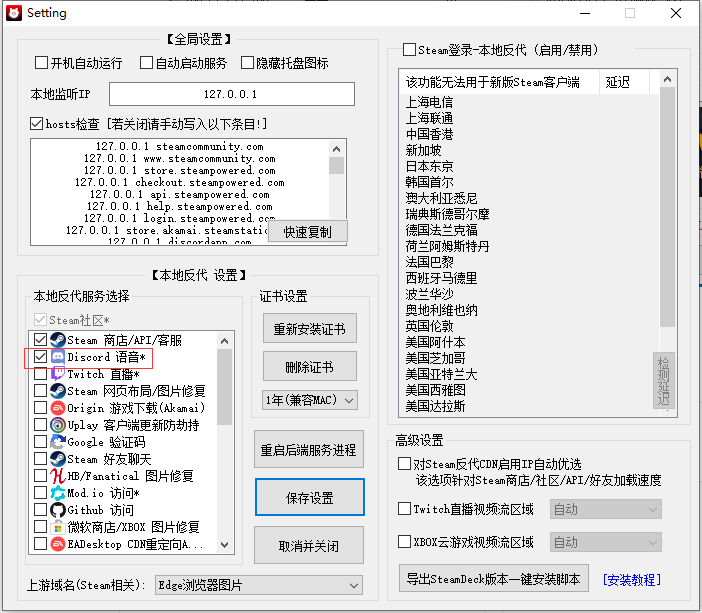
### <mark style="color:red;">右键以管理员启动</mark>后点击设置勾选Discord

<figure><img src="https://content.gitbook.com/content/FDive0muGSxachpRYk3V/blobs/ufMDcz7PjuCtXR25ceUT/image.png" alt=""><figcaption></figcaption></figure>

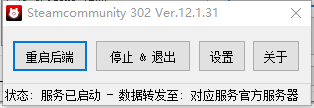
### 之后关闭Steamcommunity 302，重新以管理员启动Steamcommunity 302

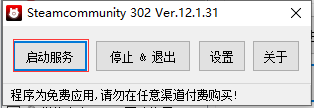
### 点击启动服务

<figure><img src="https://content.gitbook.com/content/FDive0muGSxachpRYk3V/blobs/Bg8eKSwU4mrpYNrEQzyg/image.png" alt=""><figcaption></figcaption></figure>

<figure><img src="https://content.gitbook.com/content/FDive0muGSxachpRYk3V/blobs/oDgOERwJiJaTX5w7XoJk/image.png" alt=""><figcaption></figcaption></figure>

### 现在就可以正常的进入Discord了