# Softhub使用教程

{% hint style="danger" %}
**注入前必须确保卸载你电脑的上`杀软软件`与`Win10`/`Win11`系统`自带杀毒`并将注入器放在 `USB闪存驱动器`上,菜单只能从`闪存驱动器`运行**
{% endhint %}

### 没有U盘请查看 <a href="#xia-zai" id="xia-zai"></a>

{% content-ref url="/pages/FRaTgCAOitO4rpdOcamW" %}
[无U盘使用软件](/valorant/softhub-jiao-cheng/wuupan-shi-yong-ruan-jian.md)
{% endcontent-ref %}

### 下载 <a href="#xia-zai" id="xia-zai"></a>

{% embed url="<https://softhubdownload.online/>" %}

### 激活 <a href="#ji-huo" id="ji-huo"></a>

> **需要在注入器内创建一个`SoftHub账号`或者登录现有的`SoftHub账号`**
>
> **然后复制激活码进行激活**
>
> 为了使作弊在游戏中起作用，您需要在游戏设置中设置“<mark style="color:red;">**无边界**</mark>”模式。

![](https://304729184-files.gitbook.io/~/files/v0/b/gitbook-x-prod.appspot.com/o/spaces%2F7YXEHggLzaiKwZjRSOD4%2Fuploads%2FAvrB7emsnWsdrORZZPR7%2Fimage.png?alt=media\&token=016fb51e-527c-4d24-a4bf-1ee78672165f)

![](https://304729184-files.gitbook.io/~/files/v0/b/gitbook-x-prod.appspot.com/o/spaces%2F7YXEHggLzaiKwZjRSOD4%2Fuploads%2FUZc6ogy6LJ3yA5DRlSWj%2Fimage.png?alt=media\&token=d799dbc4-0f58-4513-be7f-40967693b402)

**点击Activate key**

### **注入** <a href="#zhu-ru" id="zhu-ru"></a>

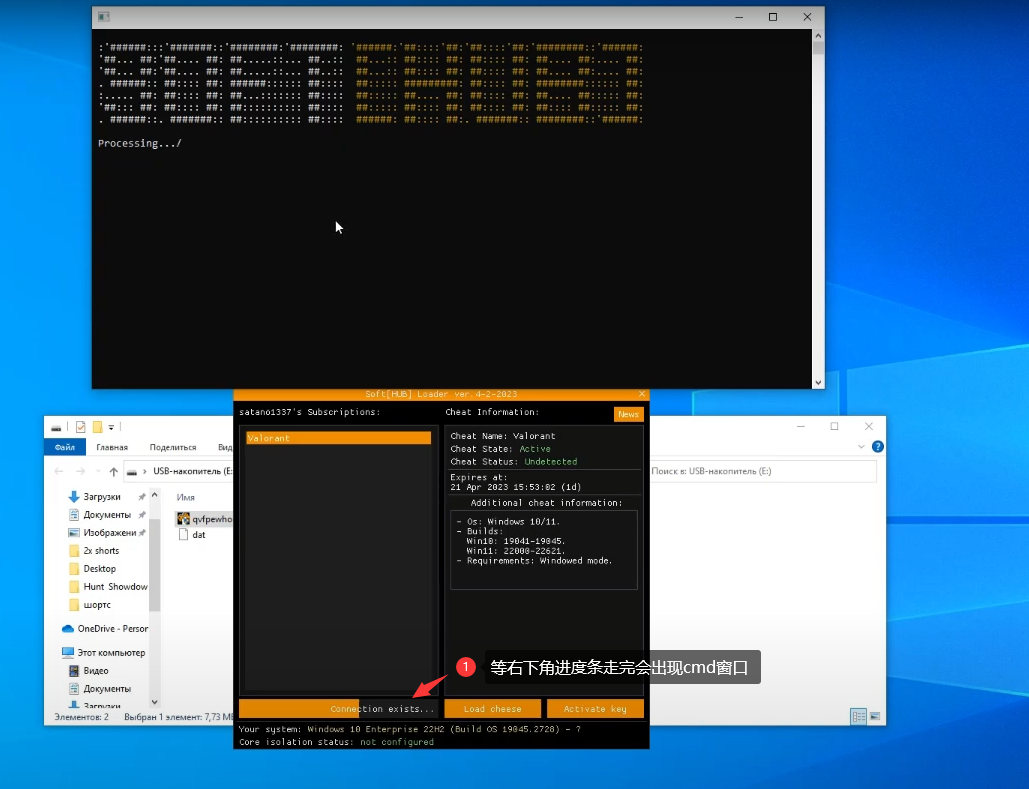
**激活完成后点击`Load Cheat`注入**

> **注入后不要随意调节游戏分辨率**

![](https://304729184-files.gitbook.io/~/files/v0/b/gitbook-x-prod.appspot.com/o/spaces%2F7YXEHggLzaiKwZjRSOD4%2Fuploads%2FW7Wrpg9VvQWGEnPgaXeP%2Fimage.png?alt=media\&token=72d861e2-e829-4777-a424-54712c6d68b2)

<figure><img src="/files/QEA6unQQMsS6tguObVcU" alt=""><figcaption></figcaption></figure>

![](https://304729184-files.gitbook.io/~/files/v0/b/gitbook-x-prod.appspot.com/o/spaces%2F7YXEHggLzaiKwZjRSOD4%2Fuploads%2FWrtzfuCszRM68zmItcTw%2Fimage.png?alt=media\&token=cb4f6de0-40a0-4e99-a6c1-7386543211c8)

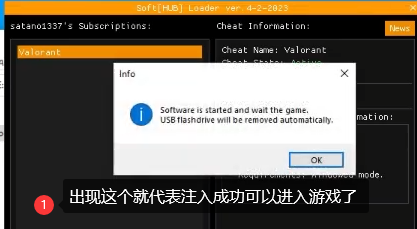
**出现`Done`代表注入成功**

<figure><img src="/files/MRxZv0X9pqtFcw2p33gM" alt=""><figcaption></figcaption></figure>

**随后点击`OK`即可进入游戏**

<figure><img src="/files/nAbPlYEP9I6vsS8hbPjH" alt=""><figcaption></figcaption></figure>

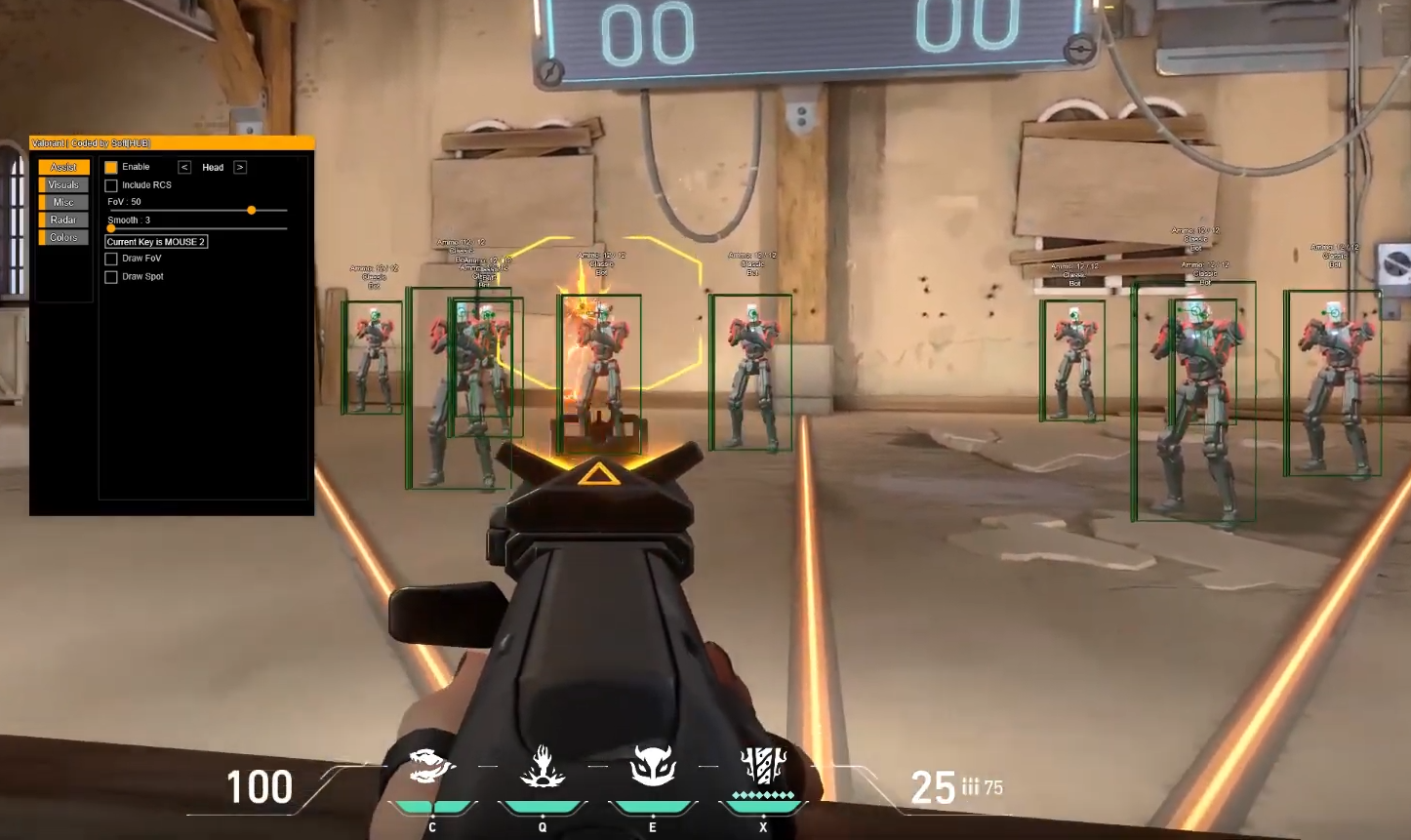
**首次注入菜单会自动呼出在屏幕右上角**

### **使用** <a href="#shi-yong" id="shi-yong"></a>

* F2 - 作弊菜单键
* DEL - 紧急键。如果您想关闭作弊程序，请使用它。建议在关闭游戏前按下。
* 玩作弊时不要调整窗口大小。这可能会损害作弊的工作。
* 尽量小心玩。虽然作弊状态为未被发现，但《Valorant》有严格的报告系统。明智地使用您的瞄准器和 ESP。对于完全合法，我们建议使用雷达。


---

# Agent Instructions: Querying This Documentation

If you need additional information that is not directly available in this page, you can query the documentation dynamically by asking a question.

Perform an HTTP GET request on the current page URL with the `ask` query parameter:

```
GET https://docs.tcmenu.cc/valorant/softhub-jiao-cheng/softhub-shi-yong-jiao-cheng.md?ask=<question>
```

The question should be specific, self-contained, and written in natural language.
The response will contain a direct answer to the question and relevant excerpts and sources from the documentation.

Use this mechanism when the answer is not explicitly present in the current page, you need clarification or additional context, or you want to retrieve related documentation sections.